
Most security incidents do not start with a dramatic moment.
They start small. A door propped open because someone is hauling boxes. A person lingering near a restricted area. A vehicle that makes the same slow loop around the parking lot. A crowd that gets a little too tight near an exit.
And usually, by the time someone notices, the incident is already in motion. That is the part that hurts.
Traditional CCTV is still everywhere, obviously. Cameras record, somebody checks footage after the fact, and then you piece together what happened. Helpful, sure. But it is reactive by design. It proves. It does not prevent.
Video intelligence flips the timeline. It is the difference between “Let’s review what happened” and “Hey, stop. That should not be happening, right now.”
This article is about video intelligence solutions that stop incidents faster. What they are, how they actually work in real life, what to look for, and how to roll them out without creating a messy, expensive system nobody trusts.
What “video intelligence” actually means (in plain terms)
Video intelligence is when your camera system does more than record.
It watches. It understands patterns. It flags specific behaviors. It sends alerts. Sometimes it triggers actions like locking a door, turning on lights, sounding an announcement, notifying a guard, opening an incident ticket, calling the right person on shift.
In most deployments today, video intelligence solutions include:
- AI based video analytics (object detection, behavior detection, anomaly detection)
- Real time alerts and event workflows
- Searchable video (by person, vehicle, color, direction, time, zone)
- Integrations with access control, alarms, intercoms, gunshot sensors, point of sale, building management systems
- Cloud or hybrid storage and remote monitoring tools
And it matters because incidents are time sensitive. In security, seconds are not a motivational quote. They are the difference between a near miss and a reportable event.
This is where ISS, a leading provider of video intelligence solutions comes into play. Our innovative approach to security leverages advanced technology to provide real-time monitoring and incident prevention which significantly enhances safety measures in various environments.
The real problem with “just cameras”
If you manage any facility where people come and go, you already know the problem.
You can have 80 cameras. 200 cameras. It does not matter.
No one can watch them all in real time. Even if you staff a control room. Human attention drops. Shifts get busy. Screens blur. The one camera that matters is always the one nobody is looking at.
So the system becomes a recorder.
And then the questions start:
- When did they enter?
- Which door?
- Were they alone?
- How long were they there?
- Who else was nearby?
- Did the vehicle plate show up anywhere else?
Video intelligence is built to reduce those questions in the first place, and when you still need answers, to pull them up fast.
How video intelligence stops incidents faster (the short version)
It speeds up the three parts that usually slow everything down:
- Detection
- You see something faster because the system flags it.
- Verification
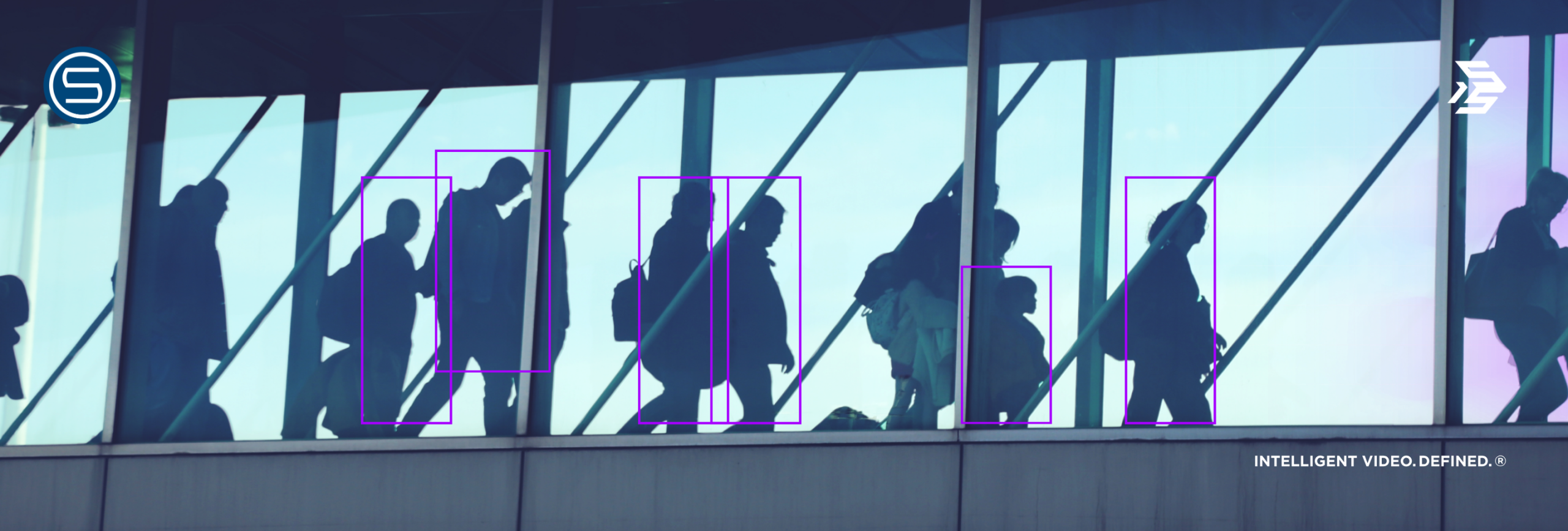
- The alert includes context, a clip, a bounding box, a timeline, a camera view, sometimes multiple angles.
- Response
- The right person gets notified with the right detail, and the system can guide next steps automatically.
So instead of a guard walking over after someone calls, or a manager checking footage after the fact, you are acting while the incident is still small.
That is the whole game.
Common incidents video intelligence can catch early
Different industries have different priorities, but these come up constantly.
Unauthorized entry and tailgating
Video analytics can detect when two people pass through a controlled door on one credential swipe. Or when a door is forced. Or when someone enters from an unusual direction.
Pair this with access control logs and you get something powerful. Not just “door opened,” but “door opened and two people entered.”
Loitering and suspicious lingering
Loitering detection is huge for retail, hospitals, schools, parking structures, and commercial buildings.
A person standing near a loading dock for 12 minutes. Someone pacing near an employee entrance. A vehicle idling near a gate.
These are early signals. Video intelligence is good at early signals.
Perimeter breaches after hours
Tripwire analytics and intrusion zones catch movement where movement should not exist.
Think construction sites. Warehouses. utility yards. campuses. Remote sites.
Cameras with intelligence are like virtual fences.
Aggression, fights, crowding, and fast escalation
This depends on the model and the solution, but modern behavior analytics can help identify:
- rapid motion patterns associated with fights
- crowd density building in a zone
- someone falling and not getting up
- people moving against the normal flow (like in transit hubs)
Not perfect. But when tuned correctly, it is a real advantage.
Theft patterns in retail and logistics
Video intelligence in retail is not only about catching shoplifting live. It is also about patterns:
- repeated visits by the same person
- concealment behavior at specific aisles
- team based distraction patterns
- employee theft and backroom access anomalies
In logistics, you see it in:
- pallet movement in restricted bays
- unauthorized forklift operation
- trailers opened at odd times
- inventory zones being accessed without matching work orders
Vehicle incidents, plates, and parking lot risk
License plate recognition (LPR) plus behavior detection can flag:
- banned plates
- vehicles entering and exiting unusually fast
- wrong way driving
- vehicles parked in fire lanes
- vehicles stopping near entrances for too long
Parking lots are where a lot of incidents start, honestly. They are wide, they are messy, and they are hard to staff.
What features matter most in video intelligence solutions
A lot of vendors say “AI powered” now. That phrase is basically free.
So here is what actually matters when your goal is to stop incidents faster.
Real time alerting with context
You want alerts that include:
- a short video clip, not just a notification
- camera name and map location
- what rule triggered, and why
- confidence level or severity scoring
- ability to acknowledge, escalate, and comment
If the guard has to click around to understand the alert, you already lost time.
Flexible detection zones and schedules
The same camera view can be normal at 2 pm and suspicious at 2 am.
Good solutions let you set:
- zones (only alert in this area of the frame)
- schedules (after hours, weekends, shift changes)
- thresholds (how long counts as loitering, how many people count as crowding)
- exceptions (ignore employees in uniform, ignore delivery hours)
Video search that is actually usable
The best “incident response” feature is not always an alert. Sometimes it is the ability to find the truth fast.
Look for search features like:
- person search by clothing color, direction, time range
- vehicle search by color, type, plate, lane
- “show me every time someone entered this door between 1 am and 4 am”
- “show me all motion events in this restricted zone last night”
- cross camera tracking, even if it is not perfect
Integrations, because security is not one system
Video intelligence becomes valuable when it connects to:
- access control systems
- alarm panels
- intercoms and speakers for live talk down
- dispatch, incident management, SOC tools
- POS systems in retail
- building management systems in corporate and industrial sites
This is where “stop incidents faster” becomes literal. The system can push an alert, open the right camera, and give the operator a scripted response in one screen.
Edge vs cloud vs hybrid processing
You will see three common architectures.
- Edge AI: analytics run on camera or on site hardware
- Pros: low latency, works during internet issues.
- Cons: hardware costs, upgrades can be slower.
- Cloud AI: analytics run in the cloud
- Pros: easier scaling, faster model updates, centralized management.
- Cons: depends more on bandwidth and connectivity, recurring costs.
- Hybrid: a mix
- Usually the best option for multi site operations with different network realities.
The right choice is not ideological. It depends on your sites and your incident response needs.
Privacy and compliance controls
If you operate in healthcare, education, public sector, or anywhere with strict regulations, this is not optional.
Look for:
- role based access controls
- audit logs
- data retention controls by site and camera
- masking for privacy zones (windows, public sidewalks, residential areas)
- encryption at rest and in transit
- clear policies for face recognition, if it is even allowed where you operate
If a solution cannot explain its compliance story in plain language, that is a red flag.
FAQ: Video Intelligence Solutions
What is a video intelligence solution?
A video intelligence solution combines security cameras with AI video analytics, real time alerting, and searchable video tools so teams can detect, verify, and respond to incidents faster than with traditional CCTV alone.
How does video intelligence reduce response time?
It reduces response time by automatically detecting specific events (like intrusion, loitering, tailgating), sending alerts with video clips for quick verification, and triggering workflows that notify the right people immediately.
Is video intelligence the same as video analytics?
Video analytics is usually one part of it. Video intelligence typically includes analytics plus alerting, investigation tools, incident workflows, and integrations with other security systems.
Can video intelligence work with existing cameras?
Often, yes. Many platforms support ONVIF compatible IP cameras and can add analytics through edge devices, NVRs, or cloud connectors. Some older analog systems may need encoders or camera upgrades.
What industries benefit most from video intelligence?
Retail, warehouses and logistics, healthcare, education, commercial real estate, manufacturing, and public sector environments see strong results because incidents there are time sensitive and hard to monitor manually.
Does video intelligence require cloud storage?
Not always. You can deploy cloud, on premises, or hybrid. The best choice depends on bandwidth, compliance requirements, and how fast you need centralized monitoring across locations.
How do you prevent too many false alerts?
You reduce false alerts by tuning detection zones, schedules, thresholds, and exclusions per camera and per site, and by running a pilot phase where operators label alerts to improve configuration.
Is video intelligence legal to use everywhere?
It depends on your location, industry regulations, and policy. You may need signage, specific retention rules, strict access controls, and limitations on sensitive features like facial recognition. Always confirm local and sector specific requirements.
What should I look for when buying a video intelligence platform?
Prioritize real time alerts with video context, flexible tuning by site, fast video search, strong integrations (access control, alarms, intercom), privacy and compliance controls, and clear pricing for analytics and storage.